命令
查看历史与差异
1
2
3
4
5
6
7
| git log
git log --oneline
git log --graph
git show <commit>
git diff
git diff --staged
|
分支操作
1
2
3
4
5
6
7
8
9
10
11
| git branch
git branch -a
git branch <name>
git checkout <name>
git switch <name>
git checkout -b <n>
git switch -c <n>
git branch -d <name>
|
合并 & 变基
1
2
| git merge <branch>
git rebase <branch>
|
远程仓库
1
2
3
4
5
6
7
8
9
| git remote -v
git remote add origin <url>
git fetch
git pull
git push
git push origin main
git push -u origin main
|
查看 / 修改 URL
1
2
| git remote get-url origin
git remote set-url origin git@github.com:xxx/yyy.git
|
上游仓库
1
2
3
4
5
6
7
8
9
10
11
|
git remote add upstream https://github.com/original/repo.git
git remote -v
git fetch upstream
git checkout master
git merge upstream/master
git push origin master
|
撤销 & 回退
回退提交
1
2
3
| git reset --soft HEAD~1
git reset --mixed HEAD~1
git reset --hard HEAD~1
|
安全回退
标签
1
2
3
4
| git tag
git tag v1.0.0
git tag -a v1.0 -m "v1"
git push origin --tags
|
配置相关
配置用户名和邮箱
1
2
3
4
| git config --global user.name "Your Name"
git config --global user.email "xx@xx.com"
git config --list
|
设置代理
设置 HTTP 和 HTTPS 代理
1
2
| git config --global http.proxy http://127.0.0.1:8080
git config --global https.proxy http://127.0.0.1:8080
|
如果代理需要用户名和密码验证:
1
2
| git config --global http.proxy http://username:password@127.0.0.1:8080
git config --global https.proxy https://username:password@127.0.0.1:8080
|
取消代理
1
2
| git config --global --unset http.proxy
git config --global --unset https.proxy
|
用SSH密钥对commit签名
1
2
3
| git config commit.gpgsign true
git config gpg.format ssh
git config user.signingkey <ssh私钥路径>
|
报错类
报错:error: You have not concluded your merge (MERGE_HEAD exists).
无权限写入组织仓库(GitHub)
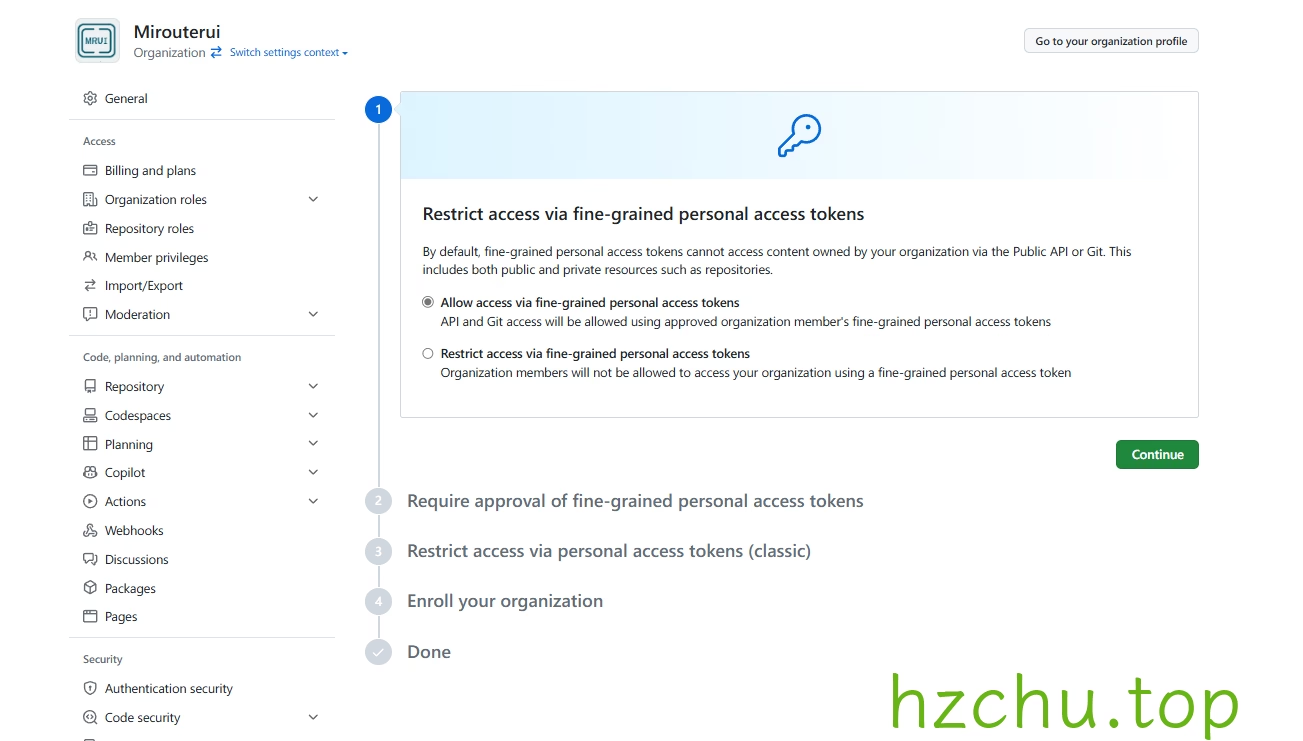
完成组织权限设置
Snipaste_2024-07-13_08-25-06
新建一个New fine-grained personal access token,Resource owner选择组织,权限处给予contents的读写权限
如果组织权限设置中开启了批准,则需回去在Pending requests里面启用
在本地仓库中运行:
git remote set-url origin https://{token}@github.com/{user}/{repo}.git
参考资料
- Git基础 - git tag 一文真正的搞懂git标签的使用